The apps you actually need to travel in Japan
Earthquake alerts, train times, Suica on your phone, translation, Tabelog: the apps that genuinely change a trip to Japan, and the ones that will not work for you.
La rédaction Kotoba Interactive
Studio éditorial
Most travellers arrive in Japan with a rail booking app and a translation app. Almost none install the one the Japan Tourism Agency explicitly asks them to install, and which is free: Safety tips, the official multilingual alert app. The country records more than a thousand felt earthquakes a year, and the Japanese early warning system can give anything from a few seconds to a few tens of seconds of notice before the destructive waves arrive. Those seconds are worthless if the alert reaches a phone that cannot receive it, in a language you cannot read.
What follows is not a catalogue. It is the list of tools that solve a problem Japan actually poses, each with its limitation. The country is heavily digitised on transport and retail, and surprisingly closed on financial services: many Japanese apps require a national phone number or a local bank account and will remain out of reach for a visitor.
What the Japanese state asks you to install#
Safety tips, published by the Japan Tourism Agency (観光庁), relays Japan Meteorological Agency alerts in several languages: earthquake, tsunami, eruption, typhoon, heavy rain, national-level warnings. It adds guidance on what to do and a phrasebook for emergencies. This is the absolute minimum.
and do the same with sharper responsiveness and more settings, the latter with a well-made English interface. A cautious traveller installs two, because a notification can go astray.
For ordinary weather, tenki.jp, published by the Japan Weather Association, and Weathernews give hourly forecasts by neighbourhood, far beyond what generic apps manage for an archipelago where the weather changes from valley to valley.
Getting around: the train decides everything#
Japan has the densest and most punctual rail network on earth, run by dozens of separate companies. The quality of a route therefore depends entirely on which timetable database you consult.
Google Maps works remarkably well in Japan for trains, subways and walking, with platform numbers and transfers. It is the sensible default and is enough nine times out of ten.
and Jorudan go further: they distinguish rapid, semi-rapid and local services, tell you which carriage to board so that you arrive in front of the right exit, and calculate the exact fare per operator. The interface is Japanese, but station names can be typed in the Latin alphabet.
Japan Travel by NAVITIME is the compromise: built for visitors, in English, with a filter that shows only journeys covered by the Japan Rail Pass. It is the app to install if you travel with a pass.
For taxis, is the dominant service in the big cities and accepts foreign cards. Uber exists in Japan but dispatches ordinary taxis rather than private drivers.
Paying: the IC card inside your phone#
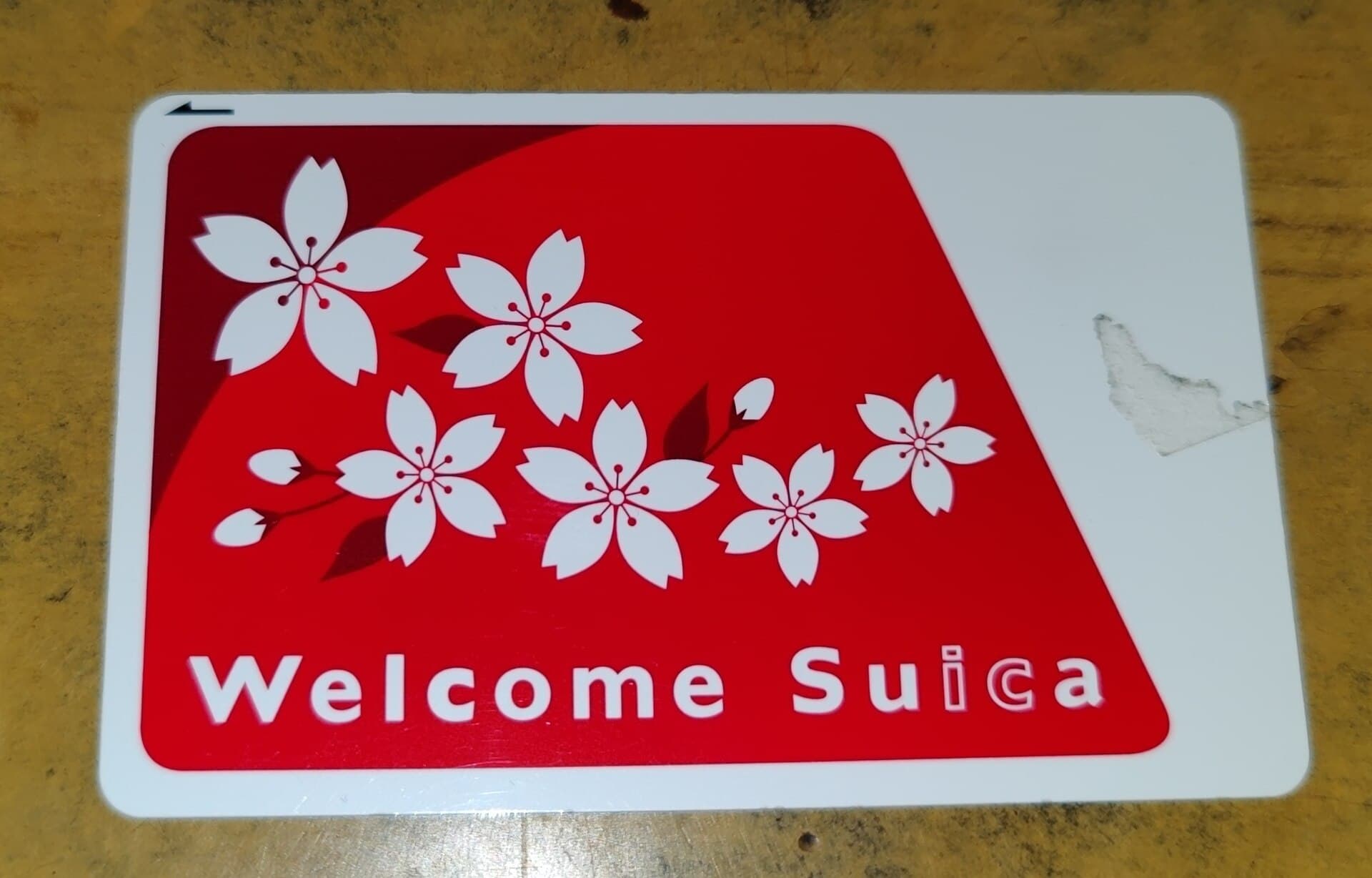
This is the single change that improves a trip most. Suica and PASMO are not merely travel passes: they also work in convenience stores, vending machines, station lockers and a good share of shops.
On iPhone, the card is added directly in the Wallet app, with no Japanese account and no visit to a ticket office, then topped up with a foreign bank card. On Android, the function depends on the presence of the Osaifu-Keitai chip, which most phones sold outside Japan do not carry: in that case you need a physical card bought at a station or a convenience store.
The advantage goes beyond convenience. An IC card in your phone means never having to work out a fare, never choosing a ticket at a machine, and never picking the wrong operator in a station that hosts three of them.
Booking the shinkansen#
Smart EX covers the Tōkaidō-Sanyō-Kyūshū line, that is the Tokyo, Nagoya, Kyoto, Osaka, Hiroshima, Hakata axis. Registration is free, accepts foreign cards, and lets you book, change without a fee up to departure, then link the reservation to an IC card so you pass the gates without a paper ticket.
JR-EAST Train Reservation does the same for the north and east: Tōhoku, Hokkaidō, Hokuriku, Jōetsu. The two systems are independent and do not talk to each other.
One point many discover too late: the Japan Rail Pass does not remove the need to reserve a seat on trains that require reservation, and some services, notably the Nozomi and the Mizuho, are not covered by the ordinary pass without a supplement.
Reading what has not been translated#
Google Translate remains the field tool, for one precise reason: its camera mode translates a menu, a sign or a medicine label live, and the Japanese pack downloads for offline use. Download it before you leave.
DeepL produces markedly more natural text translation, useful for writing to a hotel or understanding a booking email. Papago, published by Naver, performs very well on Japanese and Korean.
To decipher a single character rather than a sentence, a dictionary beats a translator: Jisho on the web, Takoboto on Android, imiwa? on iOS, all free, recognise a kanji drawn with a finger and return readings, radicals and examples.
Eating: Tabelog and its misleading scale#
is the national reference for restaurant reviews, with coverage nothing else matches, including the tiny places that have neither website nor social account. Its scale confuses newcomers: the average score sits around 3.0 out of 5, a place at 3.5 is already excellent, and above 3.8 you are in the national top tier. Judging it with the reflexes of a western review site means discarding very good addresses.
GuruNavi and Retty fill in the gaps, while TableCheck and Omakase handle bookings at places that take neither phone calls nor walk-ins. Many celebrated counters accept reservations only through a hotel or an existing regular anyway.
| Need | App | Language | Limitation to know |
|---|---|---|---|
| Earthquake and typhoon alerts | Safety tips | Multilingual | Allow notifications at install |
| General routing | Google Maps | Multilingual | Less precise on train types |
| Detailed routing | Yahoo! Norikae Annai | Japanese | Station names typed in Latin script |
| Travelling with a pass | Japan Travel by NAVITIME | English | Turn on the JR Pass filter |
| Transport and small purchases | Suica in your wallet | Multilingual | Android without Osaifu-Keitai excluded |
| Western shinkansen | Smart EX | English | Does not cover north or east |
| Northern shinkansen | JR-EAST Train Reservation | English | Separate account from Smart EX |
| On-the-spot translation | Google Translate | Multilingual | Download the offline pack |
| Restaurants | Tabelog | Partial English | Harsh scale, 3.5 means excellent |
| Taxi | GO | English | Mainly large cities |
Apps translate words, not situations. Three expressions unlock most exchanges anyway: すみません (sumimasen, excuse me and please), これください (kore kudasai, this one please) and いくらですか (ikura desu ka, how much). JapaneseSRS, our spaced repetition app for learning Japanese, is coming soon: join the waiting list.
Staying connected#
The eSIM has made rental Wi-Fi boxes obsolete for most travellers. Ubigi, Airalo or Sakura Mobile sell data plans you can activate before departure on a compatible unlocked phone. Japanese coverage is very even across the country, including on trains and through much of the tunnel network.
Public Wi-Fi exists but is patchy: Japan Wi-Fi auto-connect aggregates part of the hotspot estate, and large stations, airports and convenience stores offer their own. Relying on it as your only connection is a poor bet, not least because disaster alerts assume a permanently reachable phone.
The name Suica is a deliberate double pun by JR East. It is officially the acronym of Super Urban Intelligent CArd, and it is pronounced like 西瓜 (suika), watermelon, which is why the card is green. The sound also recalls the adverb すいすい (suisui), "gliding without effort", which describes exactly what happens at the gate.
Travelling lighter#
Japan has a luggage transport infrastructure few visitors use. , whose takkyūbin service is recognisable by the black cat carrying her kitten, will move a suitcase from one hotel to another, generally within a working day inside the main island. You arrange it at the hotel front desk, without an app, and the cost is modest against the comfort gained on a shinkansen journey.
Ecbo Cloak books storage space by the hour in a partner shop when station lockers are full, which they systematically are in major stations in high season.
What will not work for you#
Better to know before losing an evening to it.
PayPay, the barcode payment scheme found in every Japanese shop, in practice requires a Japanese phone number and a local payment method. A visitor is better served by a contactless bank card, widely accepted in cities, and by an IC card for small amounts.
Ticketing platforms such as Lawson Ticket or e+ generally demand an account tied to a Japanese number, and some sales run as lotteries restricted to residents.
Local banking and delivery apps are out of reach for the same reasons.
Finally, some Japanese apps are published only on the national stores: depending on your account's country, they will not appear in search, which is a publisher's choice rather than a bug.
The right reflex fits in one sentence: install and configure all of this before you leave, because most of these steps need a stable connection, an accepted bank card and a little patience, three things you are precisely short of on arrival at an airport.
Read alsoTokyo: the district guide that makes the city legibleOnce the apps are installed, you still need to know what each Tokyo district is for.
The Japanese convenience store replaces half the services you would otherwise look for in an app.
FAQ#
Do I really need an eSIM for Japan? Yes, if you do not want to depend on public Wi-Fi. A data eSIM covers navigation, translation and alerts, generally costs less than a rental box and requires no airport pickup or return.
Can I add a Suica card without a Japanese bank account? On iPhone, yes: the card is created in the Wallet app and topped up with a compatible foreign card. On Android you need a handset carrying the Osaifu-Keitai chip, usually sold in Japan, otherwise buy a physical card locally.
Is Google Maps enough for trains? For most urban journeys, yes. For long distances, tight connections or a choice between operators, a specialised app such as Yahoo! Norikae Annai or NAVITIME shows information Google Maps does not, starting with the service type and the carriage to board.
Are cards accepted everywhere in Japan? In cities, very widely, and contactless works. In rural areas, small restaurants, temples and some markets, cash remains essential. Convenience store and Japan Post ATMs accept foreign cards.
Which app should I use to learn a few words before going? A spaced repetition app, which makes you review a word just before you would forget it, produces better results in three weeks than a phrasebook read on the plane. A hundred well-anchored words cover most travel exchanges.
Photo credits: the images in this article come from Wikimedia Commons and are under a free license.
Tokyo: the district guide that makes the city legible
Yamanote and Shitamachi, special wards, terminal stations: how Tokyo is organised, what each district is for, and why the streets have no names.
Cover image: Ravi Dwivedi · Ravi Dwivedi, via Wikimedia Commons · CC BY-SA 4.0